

Your studio's own
booking page.
Customers book and pay by UPI, cash or online. You see every booking in one place.
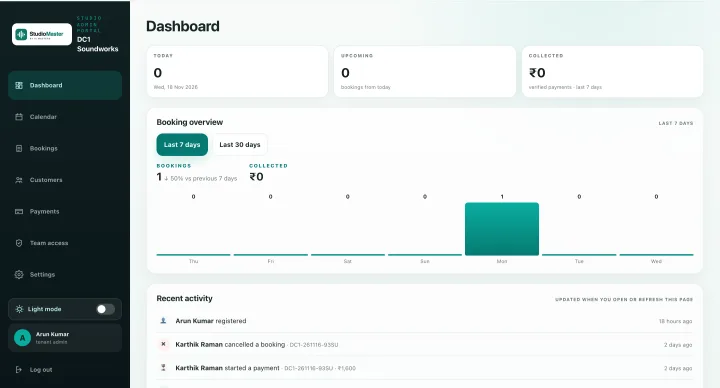
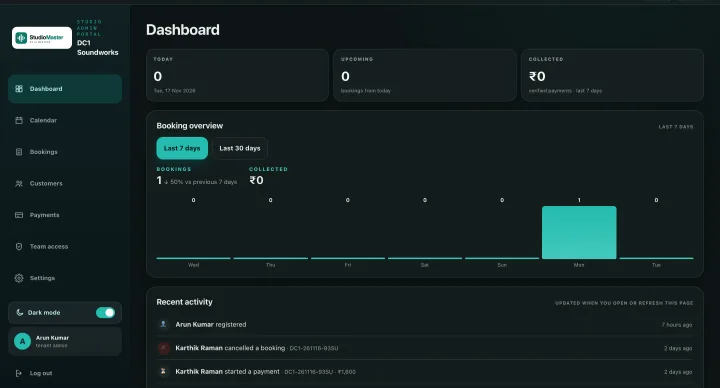
- Your name and logo
- UPI, cash or online
- No app to install
- Made for studios in India
How it works, in three steps.
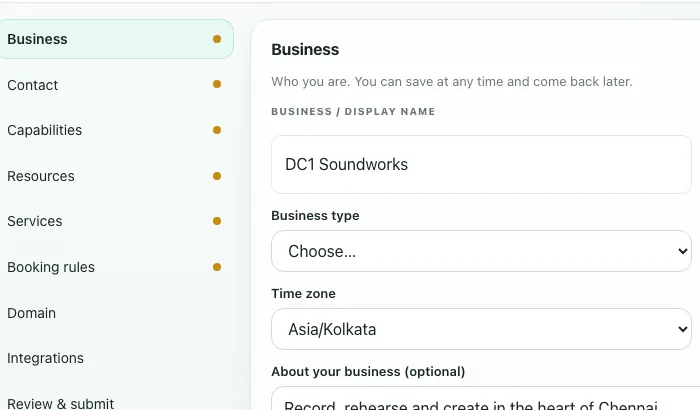
We set up your studio
AI Masters invites you. You fill in a guided form, we approve it, and your studio is live on its own address.
Customers book on your page
They pick a date and hours, pay the way you allow, and get a booking ID.
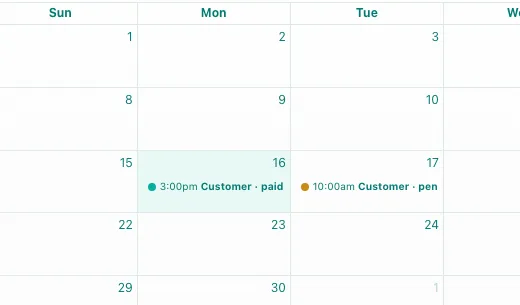
You manage it all in one admin
Every booking, payment and customer, on a computer or a phone.
Prices on the screens are the demo studio's own settings, not StudioMaster's price.
Your own booking page, in your name.
Your logo, banner, tagline, address, hours and price on your own address.
- Your own web address, such as yourstudio.aimastersindia.com.
- A header that sells the studio. Empty lines are hidden.
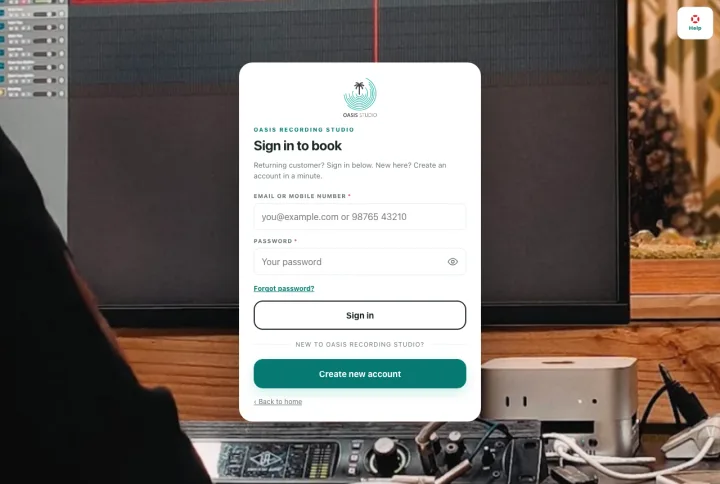
- A sign-in page in your studio's own look: your logo, name and a photo.
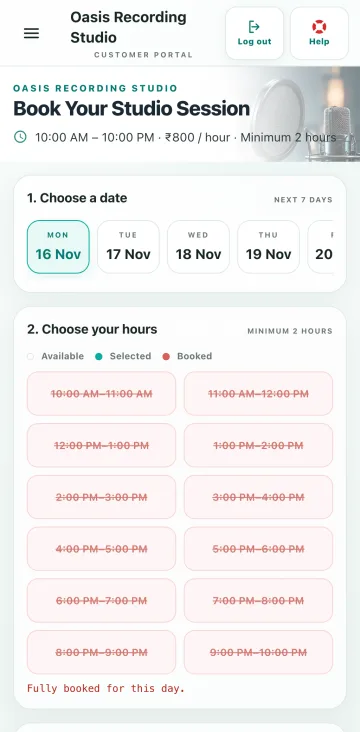
Booking in a few taps.
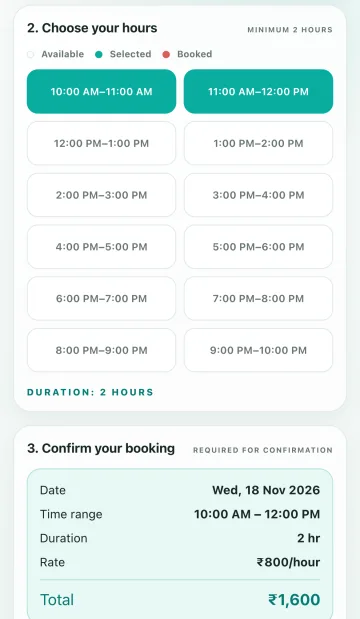
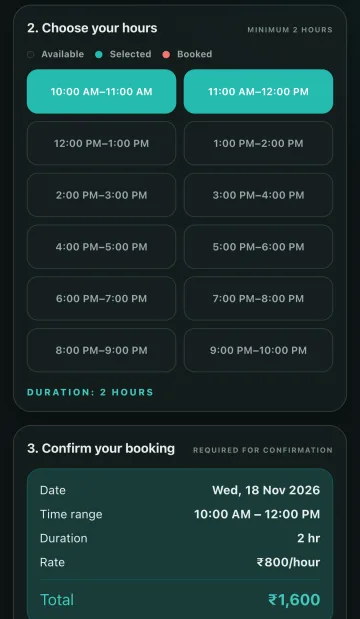
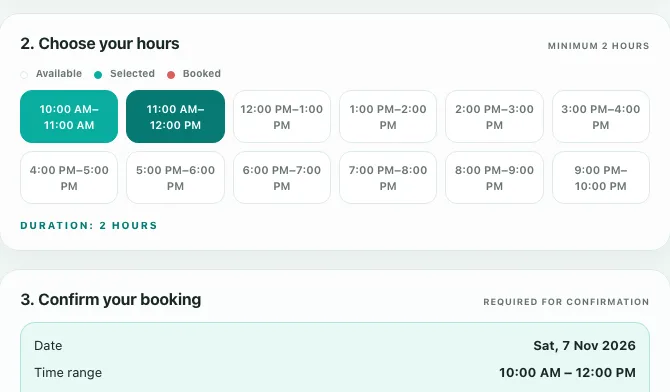
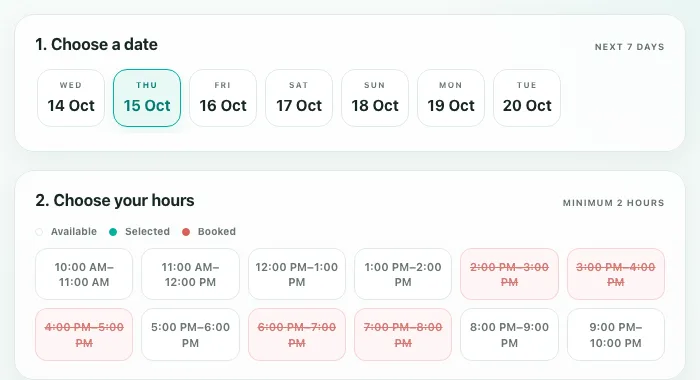
Pick a date, tap an hour: one tap selects your minimum (2 hours), and the price shows straight away.
- At a 2-hour studio, tapping 10 selects 10 to 12.
- Tapping the hour just before or after adds it.
- Booked hours cannot be picked.
Choose your hours
Minimum 2 hours
- Time range
- —
- Duration
- —
Tap an hour. One tap selects 2 hours.
A demo. Nothing is booked.
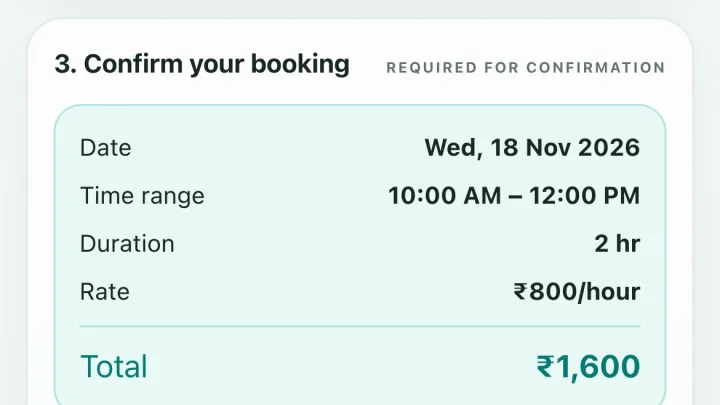
Prices on the screens are the demo studio's own settings, not StudioMaster's price.
Payments made for India.
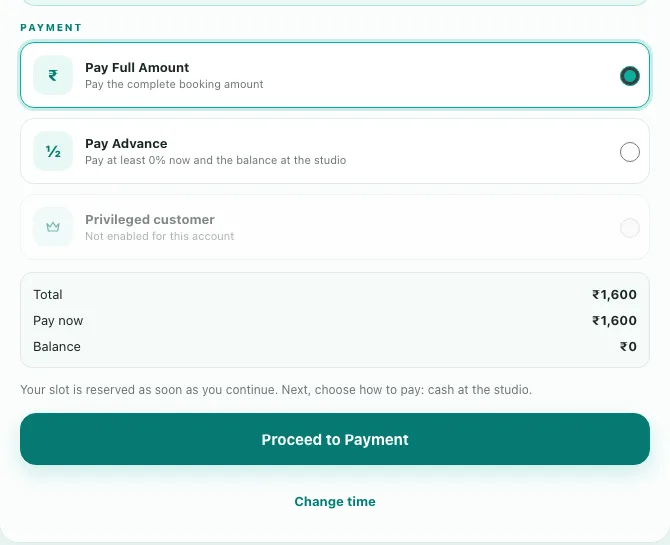
UPI to your own UPI ID, cash at the studio, or online through Razorpay. Full payment or an advance.
- UPI
- To your own UPI ID. The customer enters the UTR so you can check it.
- Cash
- "Pay at the studio." Your staff mark it as received.
- Online
- Through Razorpay, connected for you by AI Masters.
Sign-in your customers already know.
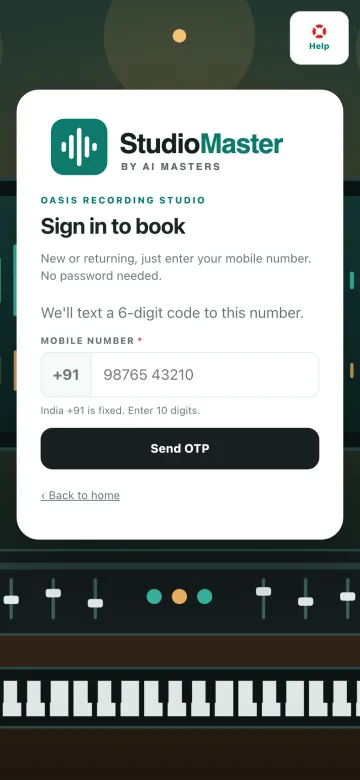
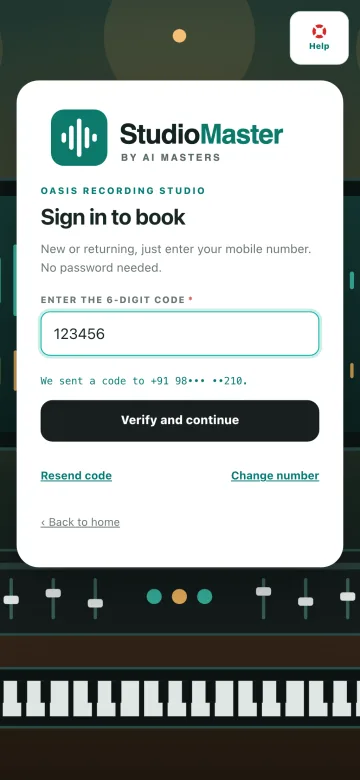
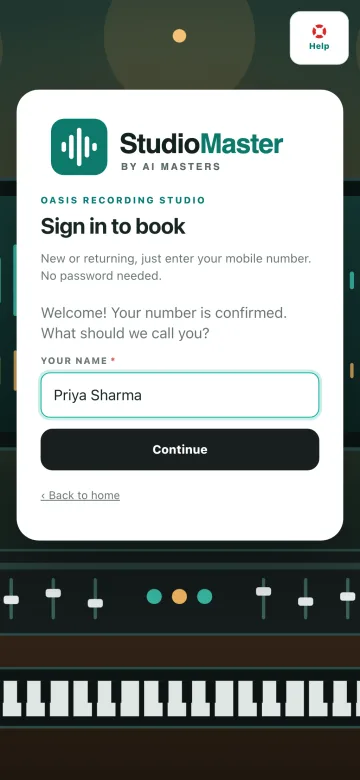
Mobile number and an SMS code: no password, no app. Or a password; you choose.
1Enter the mobile number
2Type the 6-digit code
3New customers give only their name
Everything in one place.
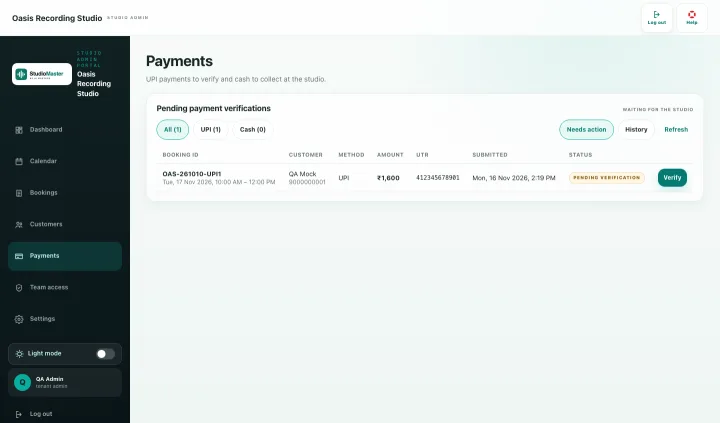
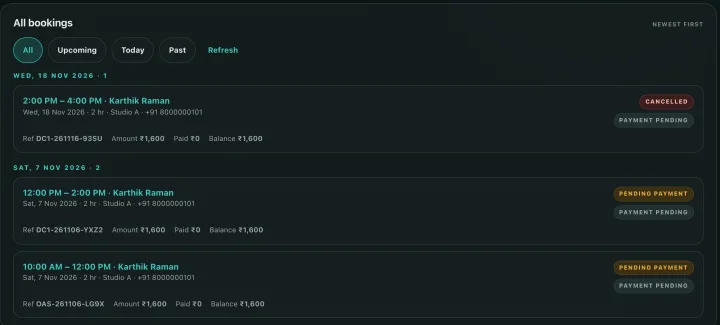
Dashboard, bookings, calendar, payments to check, customers.
- Dashboard
- Today's bookings, upcoming bookings and money collected.
- Bookings
- All, upcoming, today and past, with the payment status on every booking.
- Calendar
- Month, week and list views.
- Payments to check
- Verify UPI payments against the UTR, and mark cash as received.
- Customers
- Every customer with their booking history and totals.
Your rules.
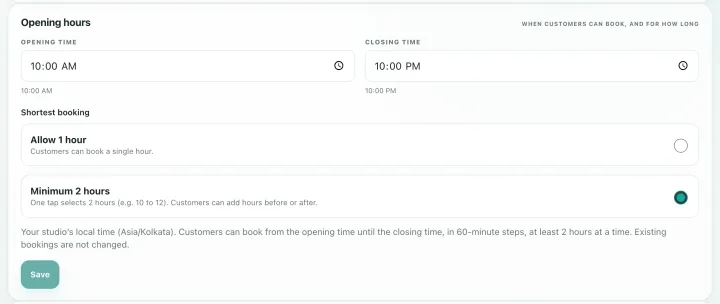
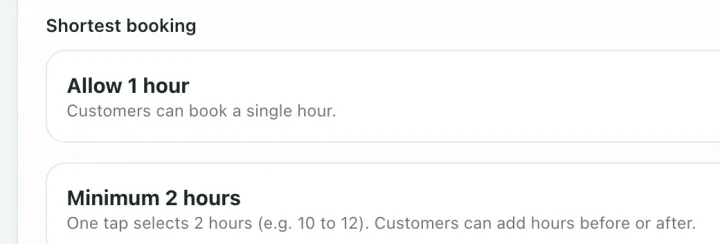
Opening hours, shortest booking (1 or 2 hours), closures, payment methods, sign-in methods.
- New hours apply to new bookings straight away. Existing bookings are not changed.
- The server enforces the shortest booking too, so a shorter booking cannot be made.
- Each payment method and each sign-in method is on or off.
No double bookings,
no ghost bookings.
Booked hours can't be picked; unpaid online bookings free up by themselves.
- Close for maintenance or a holiday: those hours are blocked for customers straight away.
- Unpaid online bookings are released automatically every 10 minutes.
We set you up.
AI Masters invites you, you fill a short guided form, we approve, you're live.
- 1You fill a short guided form.
- 2You review it and submit.
- 3AI Masters approves, and your studio is live.
AI Masters sets up every studio. There is no instant sign-up.
How a studio gets started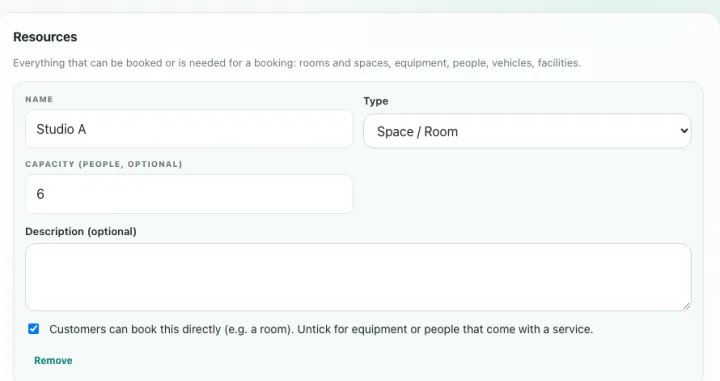

Questions studio owners ask.
All the questionsDo my customers need to install an app?
No. They book in their phone's browser on your studio's own web address.
Which payments are supported?
UPI to your own UPI ID, cash at the studio, and online payment through Razorpay. You choose which ones. Customers can pay in full or an advance you set.
Can customers book just one hour?
Only if you allow it. In Settings you choose "Allow 1 hour" or "Minimum 2 hours". With 2 hours, one tap selects 2 hours.
How do I get started?
Book a demo. AI Masters invites you, you fill in a short guided form, and once approved your studio is live on its own address.
Ready to take bookings online?
Or write to support@aimastersindia.com