

Payments made for India.
UPI to your own UPI ID, cash at the studio, or online through Razorpay. You turn each one on or off.
Three payment methods
- UPI
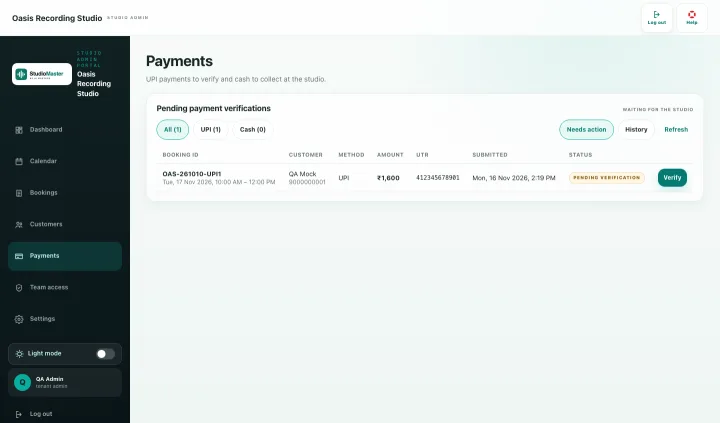
- To your own UPI ID. The customer enters the UTR so your staff can check it.
- Cash
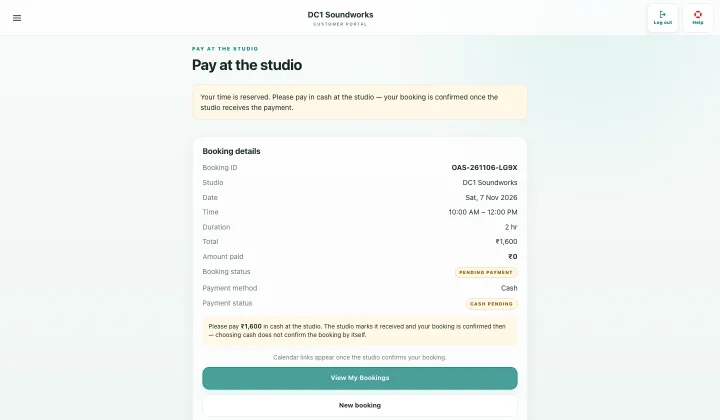
- The customer chooses "Pay at the studio". Your staff mark the cash as received.
- Online
- Online payment through Razorpay, connected for you by AI Masters.
Three ways to pay
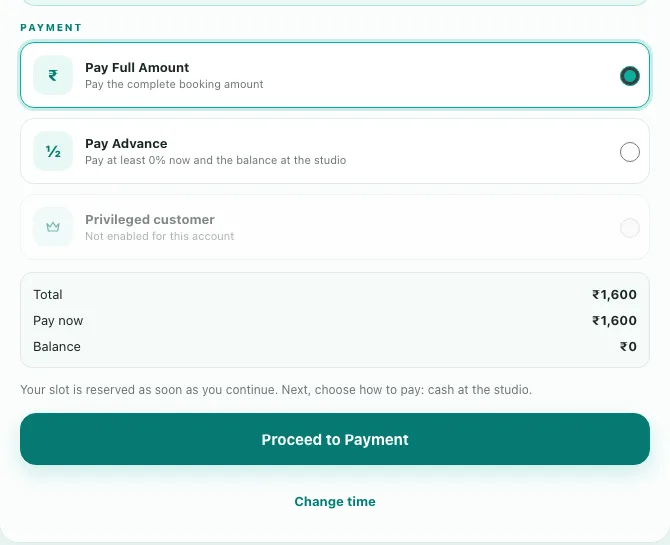
- Pay in full
- The complete amount of the booking.
- Pay an advance
- The advance has a minimum percentage set by the studio.
- Privileged customer
- Customers you choose can book without paying first.
Prices on the screens are the demo studio's own settings, not StudioMaster's price.
Payments to check
Verify UPI payments against the UTR, and mark cash as received.
No surprise hold, no ghost bookings
- Choosing hours reserves nothing. The booking is made with one Confirm click.
- Unpaid online bookings are released automatically every 10 minutes, so the hours free up for others.
Honest limits
- Refunds of online payments are not automatic.
- Each studio's online payments need its own Razorpay account, which AI Masters connects. UPI and cash need no account.
Ready to take bookings online?
Book a demo
Or write to support@aimastersindia.com