
How a studio gets started.

AI Masters sets up every studio. There is no instant sign-up.

  1. An invitation, then a guided form

    You get an invitation, set a password and fill a simple step-by-step form: business, contact, rooms, services and prices, booking rules, logo and photo.
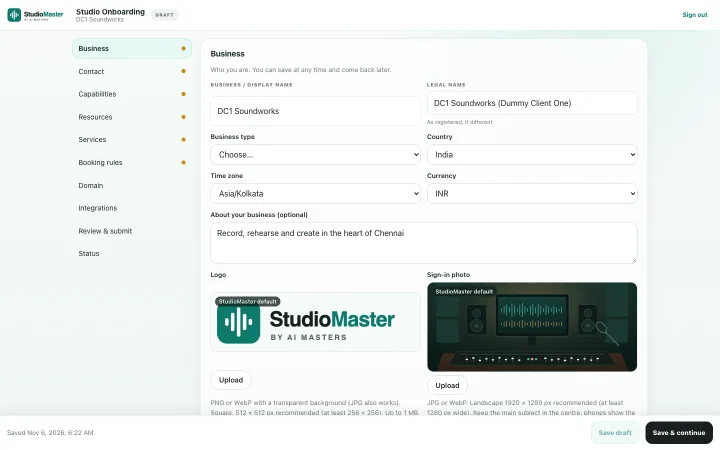
    The studio onboarding form, step 1: business details.
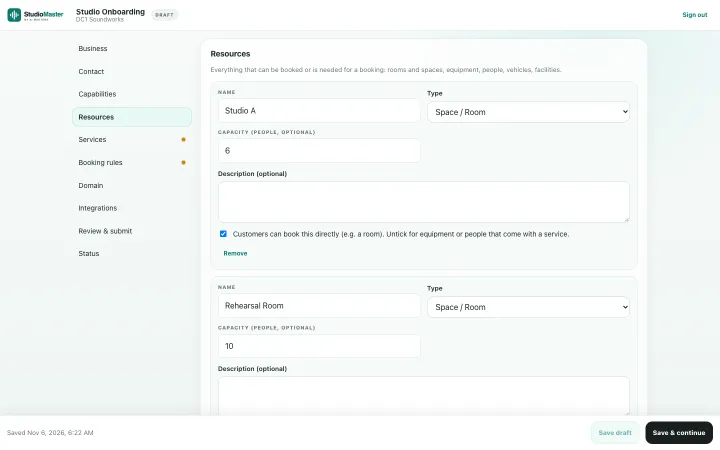
    The studio onboarding form, step 2: the studio's rooms.
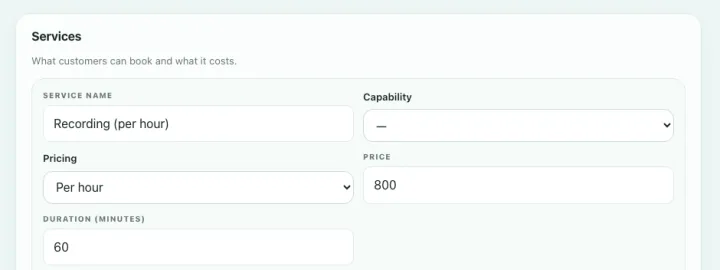
    The studio onboarding form, step 3: services and hourly prices.
  2. Saved as a draft; review and submit

    You check a summary and submit.

    The review step of the onboarding form: "Everything required is there. Your application will be reviewed by AI Masters before anything goes live."
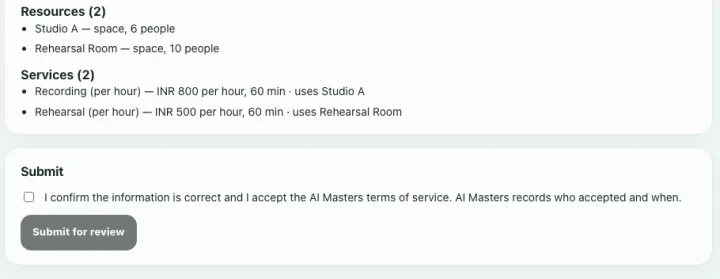
    The onboarding form's review step: the rooms and services entered, a box to confirm, and the Submit for review button.
  3. AI Masters approves, and your studio is live

    Your studio is live on its own web address.

    AI Masters' own screen for a studio's application: the studio is active and its request reads Live.

Prices on the screens are the demo studio's own settings, not StudioMaster's price.

What you set on day one.
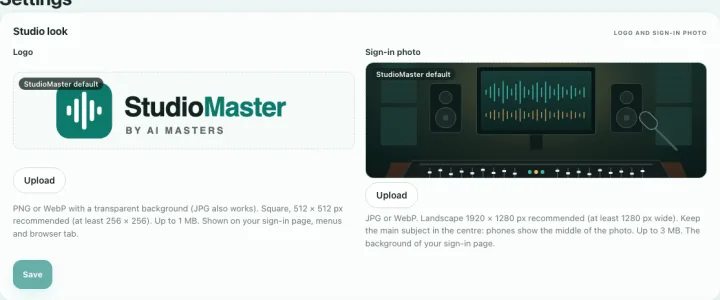
  • Studio Admin settings, Studio look: the logo and the sign-in photo, each with an Upload button.

    Studio look

    Upload the logo and the sign-in photo.
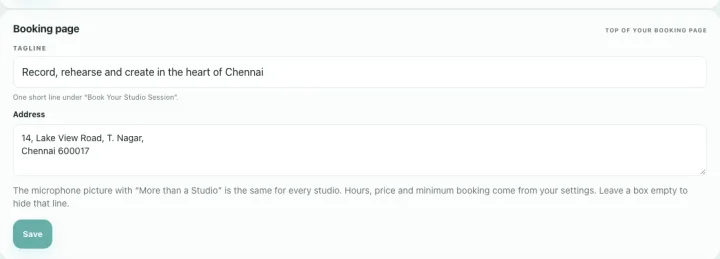
  • Studio Admin settings, Booking page: the tagline and the address shown at the top of the booking page.

    Booking page header

    Tagline and address for the booking page.
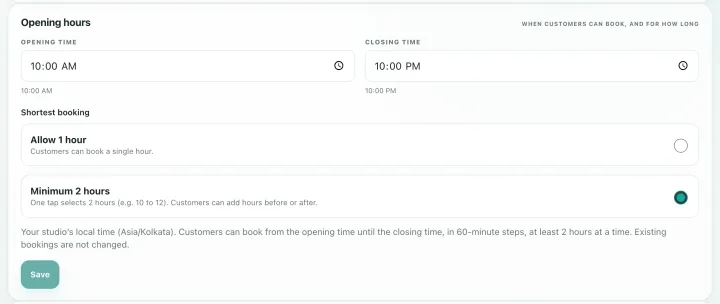
  • Studio Admin, Opening hours: opening and closing time, and the Shortest booking choice, "Allow 1 hour" or "Minimum 2 hours" (selected).

    Opening hours and shortest booking

    Opening and closing time, shown with AM/PM, and the shortest booking: Allow 1 hour, or Minimum 2 hours.
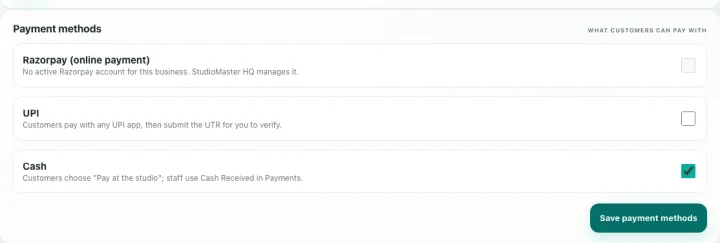
  • Studio Admin settings, Payment methods: Razorpay, UPI and cash, each with its own switch.

    Payment methods

    Razorpay, UPI and cash, each on or off.

  • The admin setting for customer sign-in methods: password, and mobile number with an SMS code, each switched on or off.

    Customer sign-in methods

    Password, or mobile number and SMS code, each on or off.

Ready to take bookings online?